Archive
Get a luggage cart…
I just read in Engadget that there’s a new suitcase out on the market that has a battery and motor to assist you in hauling your treasures from place to place. “The PA series of checked baggage features a 12V NiMH rechargeable battery pack supplying power to the wheels when the handle is gripped and the bag is tilted. The bags weighs 10.6kg (23-pounds) which is about 3kg (6.6-pounds) more than standard hard luggage, according to the manufacture.”
HOLY CRAP!!! This is just really sad. So let’s get this straight, not only am I giving up nearly HALF of my allowable luggage weight per bag (50 pounds … that I get to pay $15 for the first bag on some airlines) but I get to spend $1365 for the pleasure!?!
I get my luggage from Target, or Fred Meyer, or Costco. I try not to spend more than $100 for a bag, because it’s going to get just as trashed by the airlines as the expensive stuff, so why bother?
So here’s the deal, why not just rent a luggage cart for $1 and buy a $100 suitcase? Then you can have the other $1264 to pay for the too-narrow, too hard, no legroom, next to the engines, no free soda, middle seat in the back of the plane of your dreams.
By the numbers
There’s nothing like a little bit of shameless self-promotion every once in a while. :-) We just sent out the following email internally to remind everyone of what IT “brings to the table”. Fun times.
There are some things normal people can do. For everything else, there’s IT.
Number of employees and contractors that keep clients happy, loyal and paying: 600+
Number of distribution lists delivering vital targeted information to interested people: 711
Number of emails a month that attempt to infiltrate unsuspecting inboxes under false pretenses: 1,255,000
Amount of MBs it takes to backup all Civica files so that there’s no bloodshed when a server crashes:13,000,000
The 11 IT staffers who keep it all running without concern for a life, limb or sanity: Priceless
Without our IT department, most of what we do every day wouldn’t be remotely possible. So if you cross paths with any IT staffers in the near future, tell them thanks. Don’t send them emails though… they’re kind of busy.
If you’re interested, take a look below for all of the gritty details. Sure we don’t necessarily all know what some of these things actually mean, but IT says they’re important, so we should probably take their word for it. Either way, these are some pretty impressive numbers.
· 570+ employees
· 40+ contractors
· 9 offices in 7 cities on 2 continents, plus a number of “remote” folks in additional cities and countries
· Servers
o 90+ physical servers in production and hosting of dev VM’s
o 220 IT/AMG hosted dev virtual machines and 22 production VM’s (142/12 in Bellevue alone)
o 8.75 TB of SAN storage capacity in the Civica datacenter (6 TB of capacity allocated)
o 6.8 TB of file server storage used across the organization
o 875 Exchange mailboxes (users, testing, project use, etc.)
o 38 Conference Room scheduling mailboxes
o 711 Distribution Lists on Exchange
o 1.54:1 ratio of DL’s to employees (!!!)
o 520 GB of mailbox and public folder storage
o Monthly inbound email traffic from Internet (through MXLogic filters)
§ 1.4M messages sent to company-owned accounts (multiple domains)
§ 84% denied, 5% quarantined as spam or virus infected
§ 145k messages delivered (11% of total received)
· Backups
o 13+ TB of data written to tape each week
o 22 tapes used per week (600GB/tape)
o 50 hours to do a full back up the Civica file server (includes data replicated from other offices)
· Network
o 28 data circuits and 35 voice circuits (230 lines) across all offices
o 57 Mbps of Internet connectivity across all offices
o 144 Mbps of inter-office backbone connectivity
o 93 networking devices in use
§ 15 firewalls
§ 11 routers
§ 47 switches
§ 20 wireless access points
· Civica Datacenter
o 15,000 Watts / 52 Amps of load the UPS (40kW/139A capacity)
o 72,000 BTU’s of heat generated in the room (average gas grill puts out 35-45,000 BTU’s)
o 6 tons of cooling used to keep equipment cool
Here we go again
TechEd 2008 is this week, and once again I’ve been able to talk the powers that be into letting me attend. Really looking forward to it, even though it’s in Orlando again where it’s in mid-90’s for heat and humidity. Thank goodness all this stuff is inside!
First up is a full day demos on Windows Server 2008. Tomorrow we get a keynote from Bob Muglia, MSFT VP of Server and Tools Business Unit (Bob was actually on my flight from Seattle). Then it’s non-stop breakout sessions, labs, community group meetings, etc.
I’m a total geek – and I’m in heaven!
Stop and listen
I love that NPR’s “best of” CD sets for stories on Morning Edition and All Things Considered is called “Driveway Moments.” The folks at NPR have a chance, because they’re not trying to give you a story in 30 seconds or less, to really dive deep into a topic or an interview. At least once a week I find myself reaching my driveway or parking spot at the office and sitting in the car listening to the end of a story … a driveway moment.
This morning I just had a “desk moment” listing to the last hour of Morning Edition here in the office. The story that captured my attention was an interview with Bill Eppridge, a photojournalist who covered Robert F. Kennedy’s campaign for President in 1968. Today is the anniversary of RFK’s assignation.
Now I wasn’t alive in 1968 (heck, my parents got married in 1970), but this story completely rocked me. I completely felt the empathy and sense of loss that rocked the nation when he was killed.

credit Bill Eppridge
Bill Eppridge was following Sen. Robert Kennedy into the kitchen when shots rang out. He continued snapping photos, sensing he should document the moment. Life/©Time
It’s definitely worth 7 minutes of your day to listen to this.
Security for security’s sake is dumb
I added the Microsoft TechNet Radio RSS feed to my Zune desktop a long time ago, but never got around to listening to any of them. While I’m working today I’m finally getting a chance to rectify that oversight. 🙂
I’m currently listening to an interview with Alan Levine from April 2006 (“TechNet Radio Security Series – an interview with Alcoa’s CSIO”). At that time (maybe still today?) Alan was the Chief Security Officer for Alcoa, the aluminum company. At one point (about 18 minutes in) he makes a great observation on how some people in IT try to secure everything for the simple fact that they can … “security for security’s sake” as he says. It’s a bad idea, Alan explains…
“and if you don’t believe that, tonight when you go home park your car in the driveway with your wife. You both get out and you go into the house, and before she can come in lock the door. You’ll find out that security for security’s sake serves no purpose.”
I’m a huge fan of giving real-world, non-IT examples of tech scenarios to help people better understand what’s going on. This is an awesome example of that … and one I’ll have to borrow!
Hanging in there…
For those of you who know me, you know that one of my standard answers if asked “how are you doing?” is “hanging in there.” Well today I can honestly say that’s an apt description. I haven’t felt this crappy in a LONG time.
These last 6-8 weeks have been the absolute worst season for my allergies I’ve ever experienced. EVER. It’s so bad that I’ve even been diagnosed with allergy-induced asthma – oye vay.
So if you see me around and I’m not my normal cheery self, now you know why. Bleh.
We got BLAST-ed!
I just called Comcast support to get them to undo a filter that was placed on our home Internet connection a couple years ago. We used to use a program that sent a challenge email to each spam message we got to give the sender a chance to prove they’re human. 🙂 We’re not using that anymore, rather our home email is filtered by Postini before it even gets to our server mailbox.
I got a tech on the phone after a couple minutes of waiting – not too bad really. I explained to Neil that we were being blocked from sending email, and how I know WHY we were getting blocked and that we’ve stopped using that tool. I also mentioned that having SMTP (email sending) traffic blocked made difficult to my job at times, since it’s hard to test email if I can’t send an email. 🙂
He said he’d take the filter off, but it would take a reboot of our cable modem, which runs our Comcast phone line, so he’d call us back in a few minutes. He did, and then he gave me a present. He said that he increased my upload bandwidth 4X to over 2Mbps! WOOHOO!
This is Comcast’s new “Blast” service, and Neil told me they just started the beta of the program here in the Seattle market a few days ago. Blast is an enhancement to the top-tier of cable modem service that gives you constant faster bandwidth, not just short bursts. They’re slowly rolling it out around the country, and I had heard a while back from my good friend that it was coming here this summer.
So much for the wait! 🙂 2.7Mb uploads instead of the previous 500-700Kb. OH YEAH!

Thanks Neil!!!
How to apply WSUS updates to a Windows Server 2008 Core machine
Windows Server 2008 Core is an old new concept in the Windows world. We’ve spent the last couple decades trying to put a fancy user interface onto our computers to make tasks easier for the user. The server world has followed suit as well with the same GUI advancements. And I’ll be the first to admit that I like working in a GUI for most small or one-off tasks on a server.
The problem is that with all that code to make a pretty interface you get a much larger attack surface for your environment. All of a sudden you need to apply patches Internet Explorer and media player to your critical SQL server!
So along comes Windows Server 2008 and the option of a “Core” installation. Server Core removes pretty much all of the user interface components leaving a greatly reduced attack (and patch) surface that you have to manage. I recently heard the comment that if Windows Server 2000 had a Core install mode only 40% of patches for the platform would apply (60% for Win2003). Check out more about Server Core here.
So great – I’ve got a lot fewer patches to deploy … but I DO need to still deploy patches. I work in a smaller-scale environment; roughly 50 servers in my core datacenter with another 40+ scattered in local offices around the country and the UK, and about 650 users. We’re not big enough to have the right folks on staff to run Microsoft’s System Center Configuration Manager (formally SMS) to push out applications and patches to computers.
Instead we rely on Windows Server Update Service (WSUS) to manage the Windows Update agent already on each machine (the local agent actually does the install). Our user and dev machines automatically download and install patches, but our servers just download the patches (pre-staged for install) so we can manually manage when each server installs and reboots. This way we make sure servers are rebooted in the right order and are around to ensure everything comes back up. 🙂
The problem comes in with Server Core … there’s no way for you to see the “you have updates to install” notice in the system tray when you log on to the computer because, well, there’s no system tray! I looked and looked and couldn’t figure out how to still leverage WSUS to push patches out and kick off an install.
I recently attended an event on the Microsoft campus in nearby Redmond where I had access to some of the key players in the Windows 2008 product world. The event is under NDA so I can’t give a lot of details, but let’s just say I’M TOTALLY SOLD!
I reached out to a couple of Microsoft contacts from that event to get some help and was rewarded with a link to an MSDN article the solves my issue! Effectively you get a command-line representation of the Windows Update user interface by calling a VBscript!
http://msdn2.microsoft.com/en-us/library/aa387102(VS.85).aspx
Copy the code to a Notepad window and save the file as a .vbs file accessible on the Server Core machine you want to patch (I copied it to a directory on the local disk). From the Server Core command line execute that script via ‘cscript nameofscripthere.vbs’ and let it work it’s magic. You’ll see the patches it scans and finds you need (according to your WSUS group policies … guessing this would work against the public Microsoft Update servers too), will download them (or leverage the pre-staged bits already downloaded), and then ask if you if you want to proceed to install. Give it a “Y” and you’re on your way!
Special thanks to Brendan and Paul for finding this solution!
😀
As an aside, you can also manually download each patch’s .MSU installer to the Server Core box (using a file copy from another machine) and then call each patch individually from the command line using ‘wusa.exe patchnamehere.msu’. You’ll actually still get the standard Windows Update user interface dialog where you can prompt it not to reboot. You can even use a couple command line options to make wusa.exe run in a quite mode and not reboot, thus allowing you to apply multiple patches via a batch script. Still kind of clunky though.
The problem is that the WSUS/WUA tools don’t download the .MSU files (or if they do they store them in an “exploded” form) so you can’t use that combination to push out the patches to your boxes for deployment – thus the need for the VBS script above and my 4 day search for a good solution.
The coolest inbox ever

Sure it’s sad that I have one-thousand three-hundred thirty-seven unread messages in my inbox. On the other hand, I’m leet!
🙂
Sweet car commercial
I’m not exactly fond of Pontiac’s, but they’ve got one sweet commercial coming out. They’ve put the new G8 into the classic Spy Hunter driving game. Fun times!
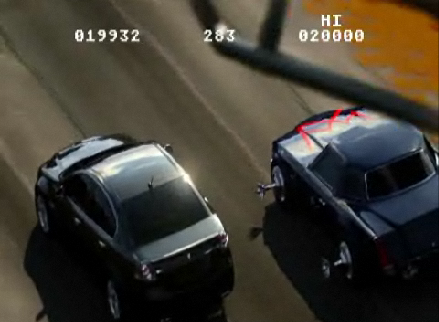
http://www.autoblog.com/2008/03/14/video-pontiac-g8-invades-spy-hunter-circa-1983/

 Nathan's Occasional Blog